Report equipment issues.
Keep the context.
A fault on the floor. A photo on a phone. A clear owner for the follow-through. Report equipment issues, link the work, and keep the updates available across shifts.
Report. Assign. Follow Through.
Report an observation. Review and assign the follow-through. Record what happened with the issue and linked work.
Report the issue at the equipment.
Record the observation and location. Add equipment details and photos where useful.
Issue report
- 1Description and location
- 2Equipment context, where selected
- 3Optional photo attachments
Feature list
Texts get buried. Notebooks stay behind. Verbal handoffs lose detail. Give your team a shared place to capture the issue, see who owns the work, and find the latest update.
Equipment Issue Reporting
Report equipment issues with descriptions, photos, location, category, and urgency.
Classify & Assign
Review equipment issues by category and urgency, then assign the work to the right person.
Shared Dashboard
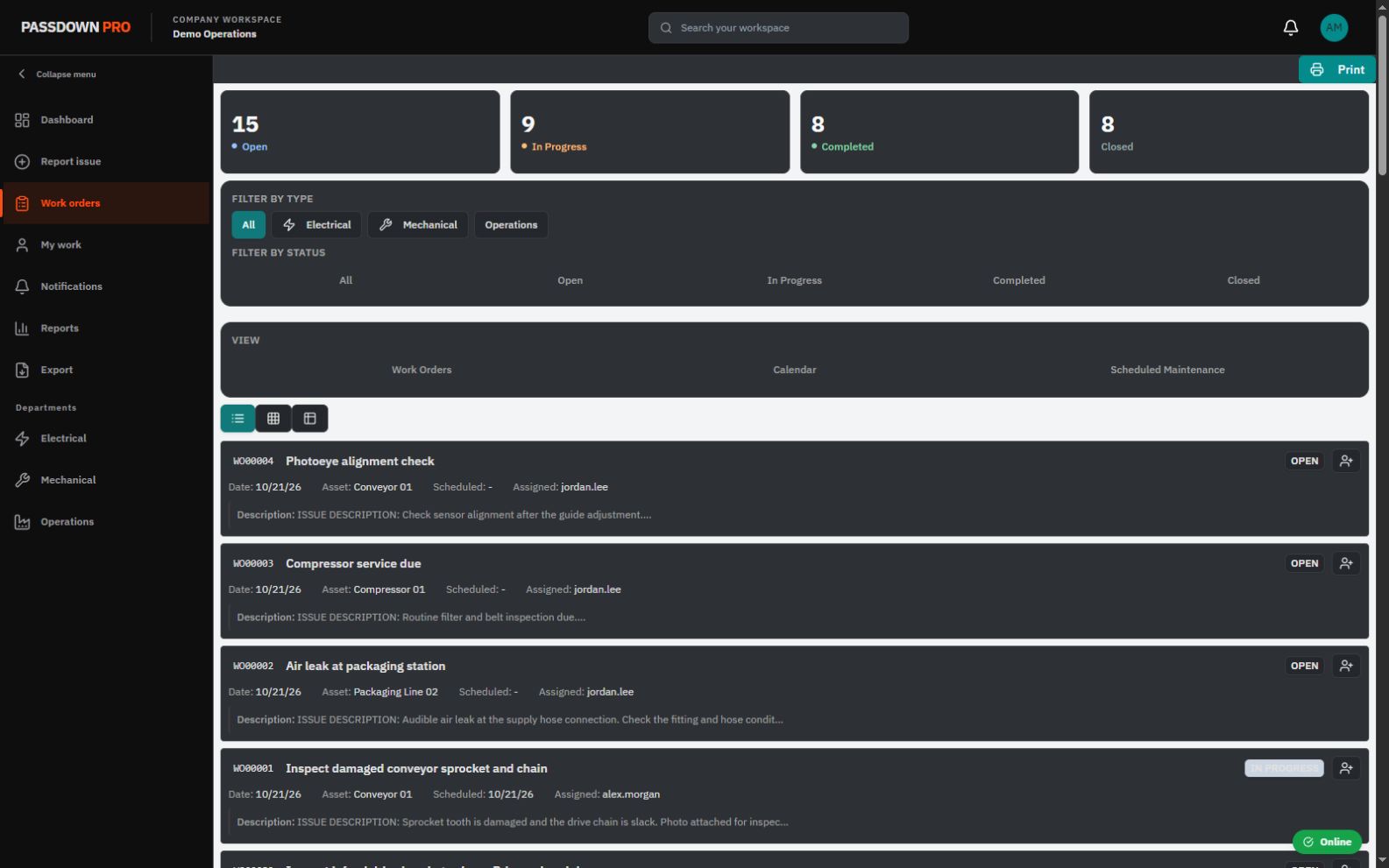
Review issues and work orders by status and department in one company workspace.
Work Order Progress
Follow work steps, progress notes, technician completion, and administrator review.
Equipment Context
Keep equipment and location details alongside the issue so the team knows where to start.
Shift Continuity
Give the incoming crew a shared view of reported issues, assigned work, and recorded updates.
Scheduled Maintenance
Plan recurring maintenance by calendar or equipment usage alongside reactive work.
Personal Assignments
My Work brings personal assignments and upcoming due dates into view.
Operational Reports
Explore maintenance issues and work orders by location, department, and asset.
Capture it where it happens.
Enter the issue details from your phone. Add photos where useful, set urgency and impact, and submit the report for your team to review.
- Photo attachments
- Machine center selection
- Issue category and urgency
- Shared issue status
Issue details
See it. Capture it.
Send it.
Give maintenance the details while you’re still at the equipment.
Stop reconstructing the story.
Open the reported issue to find its description, selected equipment, status, and assignment. Follow the linked work order and recorded notes when work is needed.
- ✓Access your company workspace in a browser
- ✓Keep equipment details and photos together
- ✓Designed for shift-based operations
- ✓Personal assignments and maintenance reports
- ✓Issue notes and work-order history
- ✓Calendar and usage-based maintenance schedules
Issue management shouldn’t need a CapEx project.
You need a reliable way to capture problems—not another major software rollout. Start with a guided trial on the phones and computers your team already uses. Try the workflow at your facility before making a wider commitment.
A practical start. A guided trial.
Trial licensing is available now. We help you get started and evaluate the workflow with your team.
Request access
Tell us about your facility, your crew, and where issue reports fall through the cracks today.
Set up together
We help arrange trial licensing and your workspace so you can start with an initial team.
Evaluate the workflow
Capture real issues, attach photos, assign work, and see what the next shift can pick up.